Saturday, November 28, 2020

Install Jenkins via Ansible

HOWTO 


  • Install Jenkins using Galaxy role  https://training.galaxyproject.org/training-material/topics/admin/tutorials/jenkins/tutorial.html


Clone repository with playbook

https://github.com/dveselka/devops-ansible/tree/master/jenkins

[dave@dave ~]$ git clone https://github.com/dveselka/devops-ansible

Install Ansible Galaxy roles
[dave@dave ~]$ cd devops-ansible/
[dave@dave devops-ansible]$ cd jenkins/
[dave@dave jenkins]$ ls
create_jenkins.yml  dev_vars.yml  README.md  requirements.yml
[dave@dave jenkins]$ ansible-galaxy install -p roles -r requirements.yml
- downloading role 'java', owned by geerlingguy
- downloading role from https://github.com/geerlingguy/ansible-role-java/archive/1.10.0.tar.gz
- extracting geerlingguy.java to /home/dave/devops-ansible/jenkins/roles/geerlingguy.java
- geerlingguy.java (1.10.0) was installed successfully
- downloading role 'jenkins', owned by geerlingguy
- downloading role from https://github.com/geerlingguy/ansible-role-jenkins/archive/4.3.0.tar.gz
- extracting geerlingguy.jenkins to /home/dave/devops-ansible/jenkins/roles/geerlingguy.jenkins
- geerlingguy.jenkins (4.3.0) was installed successfully


Check Java version
[dave@dave jenkins]$ java -version
java version "11.0.9" 2020-10-20 LTS
Java(TM) SE Runtime Environment 18.9 (build 11.0.9+7-LTS)
Java HotSpot(TM) 64-Bit Server VM 18.9 (build 11.0.9+7-LTS, mixed mode)


Run Ansible playbook
[dave@dave jenkins]$ ansible-playbook -K  create_jenkins.yml 
BECOME password: 
[WARNING]: provided hosts list is empty, only localhost is available. Note that the implicit localhost does not match 'all'

PLAY [Install Jenkins on localhost] *****************************************************************************************************************************************************************************

TASK [Gathering Facts] ******************************************************************************************************************************************************************************************
ok: [localhost]

TASK [geerlingguy.java : Include OS-specific variables for Fedora or FreeBSD.] **********************************************************************************************************************************
ok: [localhost]

TASK [geerlingguy.java : Include version-specific variables for CentOS/RHEL.] ***********************************************************************************************************************************
skipping: [localhost]

TASK [geerlingguy.java : Include version-specific variables for Ubuntu.] ****************************************************************************************************************************************
skipping: [localhost]

TASK [geerlingguy.java : Include version-specific variables for Debian.] ****************************************************************************************************************************************
skipping: [localhost]

TASK [geerlingguy.java : Define java_packages.] *****************************************************************************************************************************************************************
ok: [localhost]

TASK [geerlingguy.java : include_tasks] *************************************************************************************************************************************************************************
included: /home/dave/devops-ansible/jenkins/roles/geerlingguy.java/tasks/setup-RedHat.yml for localhost

TASK [geerlingguy.java : Ensure Java is installed.] *************************************************************************************************************************************************************
ok: [localhost]

TASK [geerlingguy.java : include_tasks] *************************************************************************************************************************************************************************
skipping: [localhost]

TASK [geerlingguy.java : include_tasks] *************************************************************************************************************************************************************************
skipping: [localhost]

TASK [geerlingguy.java : Set JAVA_HOME if configured.] **********************************************************************************************************************************************************
changed: [localhost]

TASK [geerlingguy.jenkins : Include OS-Specific variables] ******************************************************************************************************************************************************
ok: [localhost]

TASK [geerlingguy.jenkins : Define jenkins_repo_url] ************************************************************************************************************************************************************
ok: [localhost]

TASK [geerlingguy.jenkins : Define jenkins_repo_key_url] ********************************************************************************************************************************************************
ok: [localhost]

TASK [geerlingguy.jenkins : Define jenkins_pkg_url] *************************************************************************************************************************************************************
ok: [localhost]

TASK [geerlingguy.jenkins : include_tasks] **********************************************************************************************************************************************************************
included: /home/dave/devops-ansible/jenkins/roles/geerlingguy.jenkins/tasks/setup-RedHat.yml for localhost

TASK [geerlingguy.jenkins : Ensure dependencies are installed.] *************************************************************************************************************************************************
ok: [localhost]

TASK [geerlingguy.jenkins : Ensure Jenkins repo is installed.] **************************************************************************************************************************************************
changed: [localhost]

TASK [geerlingguy.jenkins : Add Jenkins repo GPG key.] **********************************************************************************************************************************************************
changed: [localhost]

TASK [geerlingguy.jenkins : Download specific Jenkins version.] *************************************************************************************************************************************************
skipping: [localhost]

TASK [geerlingguy.jenkins : Check if we downloaded a specific version of Jenkins.] ******************************************************************************************************************************
skipping: [localhost]

TASK [geerlingguy.jenkins : Install our specific version of Jenkins.] *******************************************************************************************************************************************
skipping: [localhost]

TASK [geerlingguy.jenkins : Ensure Jenkins is installed.] *******************************************************************************************************************************************************
changed: [localhost]

TASK [geerlingguy.jenkins : include_tasks] **********************************************************************************************************************************************************************
skipping: [localhost]

TASK [geerlingguy.jenkins : include_tasks] **********************************************************************************************************************************************************************
included: /home/dave/devops-ansible/jenkins/roles/geerlingguy.jenkins/tasks/settings.yml for localhost

TASK [geerlingguy.jenkins : Check if jenkins_init_file exists.] *************************************************************************************************************************************************
ok: [localhost]

TASK [geerlingguy.jenkins : Ensure jenkins_init_file exists.] ***************************************************************************************************************************************************
skipping: [localhost]

TASK [geerlingguy.jenkins : Modify variables in init file.] *****************************************************************************************************************************************************
changed: [localhost] => (item={'option': 'JENKINS_ARGS', 'value': '--prefix='})
changed: [localhost] => (item={'option': 'JENKINS_JAVA_OPTIONS', 'value': '-Xmx4096M'})

TASK [geerlingguy.jenkins : Ensure jenkins_home /var/lib/jenkins exists.] ***************************************************************************************************************************************
ok: [localhost]

TASK [geerlingguy.jenkins : Set the Jenkins home directory.] ****************************************************************************************************************************************************
changed: [localhost]

TASK [geerlingguy.jenkins : Immediately restart Jenkins on init config changes.] ********************************************************************************************************************************
changed: [localhost]

TASK [geerlingguy.jenkins : Set HTTP port in Jenkins config.] ***************************************************************************************************************************************************
changed: [localhost]

TASK [geerlingguy.jenkins : Create custom init scripts directory.] **********************************************************************************************************************************************
changed: [localhost]

TASK [geerlingguy.jenkins : Configure proxy config for Jenkins] *************************************************************************************************************************************************
skipping: [localhost]

RUNNING HANDLER [geerlingguy.jenkins : configure default users] *************************************************************************************************************************************************
changed: [localhost]

TASK [geerlingguy.jenkins : Immediately restart Jenkins on http or user changes.] *******************************************************************************************************************************
changed: [localhost]

TASK [geerlingguy.jenkins : Ensure Jenkins is started and runs on startup.] *************************************************************************************************************************************
ok: [localhost]

TASK [geerlingguy.jenkins : Wait for Jenkins to start up before proceeding.] ************************************************************************************************************************************
FAILED - RETRYING: Wait for Jenkins to start up before proceeding. (60 retries left).
FAILED - RETRYING: Wait for Jenkins to start up before proceeding. (59 retries left).
FAILED - RETRYING: Wait for Jenkins to start up before proceeding. (58 retries left).
ok: [localhost]

TASK [geerlingguy.jenkins : Get the jenkins-cli jarfile from the Jenkins server.] *******************************************************************************************************************************
changed: [localhost]

TASK [geerlingguy.jenkins : Remove Jenkins security init scripts after first startup.] **************************************************************************************************************************
changed: [localhost]

TASK [geerlingguy.jenkins : include_tasks] **********************************************************************************************************************************************************************
included: /home/dave/devops-ansible/jenkins/roles/geerlingguy.jenkins/tasks/plugins.yml for localhost

TASK [geerlingguy.jenkins : Get Jenkins admin password from file.] **********************************************************************************************************************************************
skipping: [localhost]

TASK [geerlingguy.jenkins : Set Jenkins admin password fact.] ***************************************************************************************************************************************************
ok: [localhost]

TASK [geerlingguy.jenkins : Create Jenkins updates directory.] **************************************************************************************************************************************************
ok: [localhost]

TASK [geerlingguy.jenkins : Download current plugin updates from Jenkins update site.] **************************************************************************************************************************
ok: [localhost]

TASK [geerlingguy.jenkins : Remove first and last line from json file.] *****************************************************************************************************************************************
ok: [localhost]

TASK [geerlingguy.jenkins : Install Jenkins plugins using password.] ********************************************************************************************************************************************

PLAY RECAP ******************************************************************************************************************************************************************************************************
localhost                  : ok=34   changed=13   unreachable=0    failed=0    skipped=13   rescued=0    ignored=0   


Configure nodes 

https://www.howtoforge.com/tutorial/ubuntu-jenkins-master-slave/


Tuesday, November 10, 2020

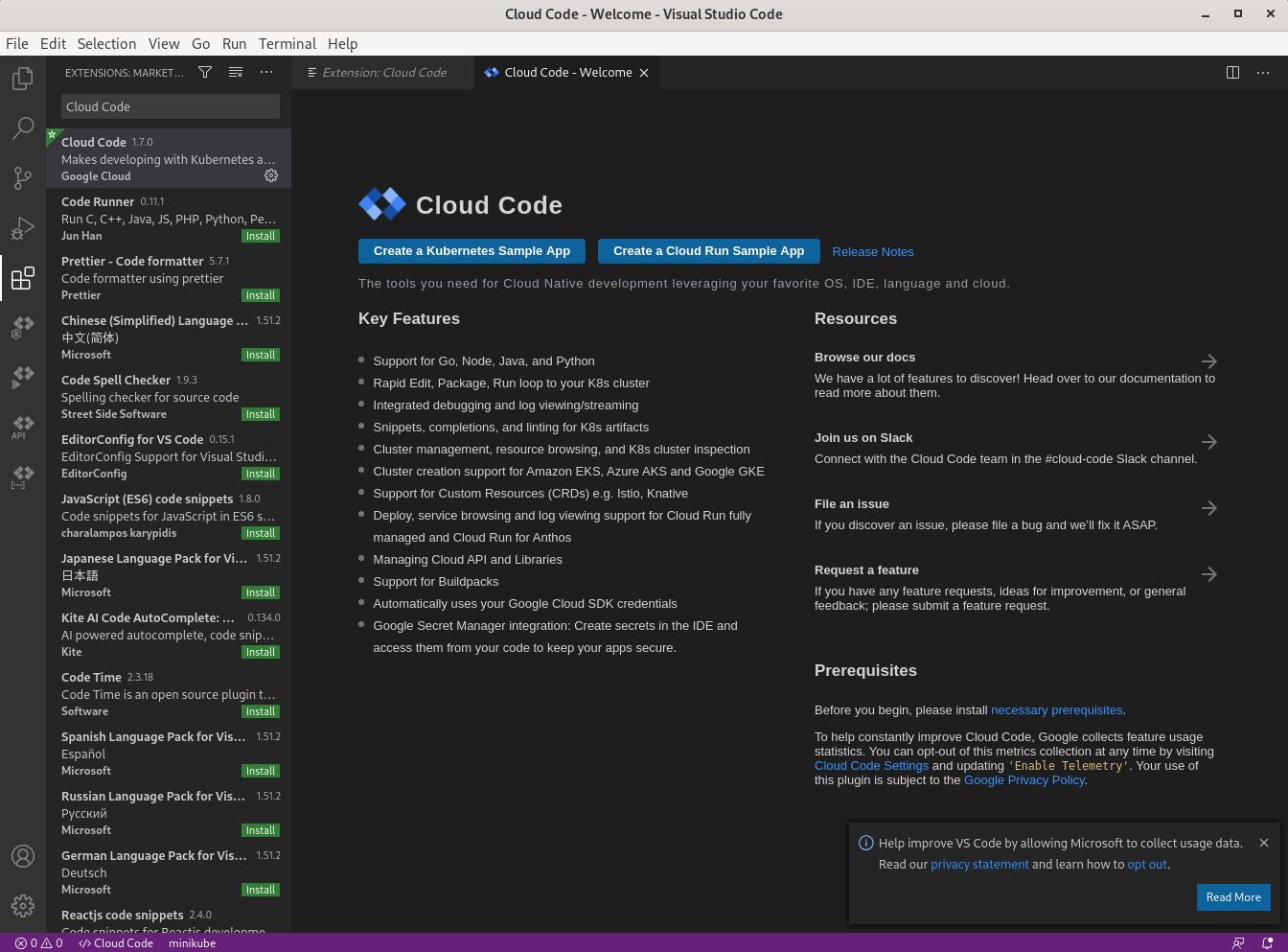
Google Cloud code IDE extension

HOWTO


Install VS Code https://code.visualstudio.com/docs/setup/linux#_installation

rpm --import https://packages.microsoft.com/keys/microsoft.asc
sh -c 'echo -e "[code]\nname=Visual Studio Code\nbaseurl=https://packages.microsoft.com/yumrepos/vscode\nenabled=1\ngpgcheck=1\ngpgkey=https://packages.microsoft.com/keys/microsoft.asc" > /etc/yum.repos.d/vscode.repo'
dnf check-update
dnf install code

Install Google Code extension into VS Code

To use custom versions of Cloud Code dependencies:

  1. Click settings Manage > Settings and then set Auto Dependencies (cloudcode.autoDependencies) to off.

  2. Install the following dependencies on your PATH:


Open k8s project 

 https://github.com/dveselka/devops-k8s/tree/main/complex

Terraform project 


Azure Terraform - add extension 

 https://marketplace.visualstudio.com/items?itemName=ms-azuretools.vscode-azureterraform


Bridge to minikube 

https://code.visualstudio.com/docs/containers/bridge-to-kubernetes


Weblogic - Docker compose 

https://github.com/oracle/docker-images/tree/master/OracleWebLogic


Deploy application on Google Cloud k8s using Travis

 HOWTO

See other blogs entries


GitHub repos


Deployed application - Google Cloud console


Travis CI


Install Ingress using Helm on Google cloud

 HOWTO

 https://helm.sh/docs/intro/install/#from-script

 https://helm.sh/docs/intro/using_helm/

 https://github.com/kubernetes/ingress-nginx

https://kubernetes.github.io/ingress-nginx/deploy/#using-helm


Install Helm

daniel_veselka@cloudshell:~ (genial-acronym-295114)$ curl -fsSL -o get_helm.sh https://raw.githubusercontent.com/helm/helm/master/scripts/get-helm-3
daniel_veselka@cloudshell:~ (genial-acronym-295114)$ chmod 700 get_helm.sh
daniel_veselka@cloudshell:~ (genial-acronym-295114)$ ./get_helm.sh
Helm v3.4.0 is available. Changing from version v3.2.1.
Downloading https://get.helm.sh/helm-v3.4.0-linux-amd64.tar.gz
Verifying checksum... Done.
Preparing to install helm into /usr/local/bin
helm installed into /usr/local/bin/helm
daniel_veselka@cloudshell:~ (genial-acronym-295114)$ helm version
version.BuildInfo{Version:"v3.4.0", GitCommit:"7090a89efc8a18f3d8178bf47d2462450349a004", GitTreeState:"clean", GoVersion:"go1.14.10"}

Install Ingress

helm repo add ingress-nginx https://kubernetes.github.io/ingress-nginx
helm install my-release ingress-nginx/ingress-nginx

daniel_veselka@cloudshell:~ (genial-acronym-295114)$ POD_NAME=$(kubectl get pods -l app.kubernetes.io/name=ingress-nginx -o jsonpath='{.items[0].metadata.name}')
daniel_veselka@cloudshell:~ (genial-acronym-295114)$ kubectl exec -it $POD_NAME -- /nginx-ingress-controller --version
-------------------------------------------------------------------------------
NGINX Ingress controller
  Release:       v0.41.0
  Build:         f3a6b809bd4bb6608266b35cf5b8423bf107d7bc
  Repository:    https://github.com/kubernetes/ingress-nginx
  nginx version: nginx/1.19.4

-------------------------------------------------------------------------------

Configure user access - service accounts and roles

k8s namespaces on GCP

daniel_veselka@cloudshell:~ (genial-acronym-295114)$ kubectl get namespaces
NAME              STATUS   AGE
default           Active   15h
kube-node-lease   Active   15h
kube-public       Active   15h
kube-system       Active   15h

Configure roles - not required with Helm3 - tiller removed

daniel_veselka@cloudshell:~ (genial-acronym-295114)$ kubectl create serviceaccount --namespace kube-system tiller
serviceaccount/tiller created
daniel_veselka@cloudshell:~ (genial-acronym-295114)$ kubectl create clusterrolebinding tiller-cluster-rule --clusterrole=cluster-admin --serviceaccount=kube-systen:tiller
clusterrolebinding.rbac.authorization.k8s.io/tiller-cluster-rule created


HTTPS configuration

  • https://github.com/StephenGrider/multi-k8s/blob/master/k8s/certificate.yaml
  • https://github.com/StephenGrider/multi-k8s/blob/master/k8s/issuer.yaml

Monday, November 9, 2020

Install Docker application into Google Cloud k8s

 HOWTO

https://www.udemy.com/course/docker-and-kubernetes-the-complete-guide/

GitHub repo

https://github.com/StephenGrider/multi-k8s/blob/master/.travis.yml

https://github.com/dveselka/devops-k8s/blob/main/.travis.yml


Install Google Cloud SDK CLI

[dave@dave git]$ sudo tee -a /etc/yum.repos.d/google-cloud-sdk.repo << EOM
> [google-cloud-sdk]
> name=Google Cloud SDK
> baseurl=https://packages.cloud.google.com/yum/repos/cloud-sdk-el7-x86_64
> enabled=1
> gpgcheck=1
> repo_gpgcheck=1
> gpgkey=https://packages.cloud.google.com/yum/doc/yum-key.gpg
>        https://packages.cloud.google.com/yum/doc/rpm-package-key.gpg
> EOM
[sudo] password for dave: 
[google-cloud-sdk]
name=Google Cloud SDK
baseurl=https://packages.cloud.google.com/yum/repos/cloud-sdk-el7-x86_64
enabled=1
gpgcheck=1
repo_gpgcheck=1
gpgkey=https://packages.cloud.google.com/yum/doc/yum-key.gpg
       https://packages.cloud.google.com/yum/doc/rpm-package-key.gpg
[dave@dave git]$ sudo dnf install google-cloud-sdk
Google Cloud SDK                                                                                                                                                   364  B/s | 454  B     00:01    
Google Cloud SDK                                                                                                                                                    15 kB/s | 1.8 kB     00:00    
Importing GPG key 0xA7317B0F:
 Userid     : "Google Cloud Packages Automatic Signing Key <gc-team@google.com>"
 Fingerprint: D0BC 747F D8CA F711 7500 D6FA 3746 C208 A731 7B0F
 From       : https://packages.cloud.google.com/yum/doc/yum-key.gpg
Is this ok [y/N]: y
Importing GPG key 0xBA07F4FB:
 Userid     : "Google Cloud Packages Automatic Signing Key <gc-team@google.com>"
 Fingerprint: 54A6 47F9 048D 5688 D7DA 2ABE 6A03 0B21 BA07 F4FB
 From       : https://packages.cloud.google.com/yum/doc/yum-key.gpg
Is this ok [y/N]: y
Google Cloud SDK                                                                                                                                                   6.7 kB/s | 975  B     00:00    
Importing GPG key 0x3E1BA8D5:
 Userid     : "Google Cloud Packages RPM Signing Key <gc-team@google.com>"
 Fingerprint: 3749 E1BA 95A8 6CE0 5454 6ED2 F09C 394C 3E1B A8D5
 From       : https://packages.cloud.google.com/yum/doc/rpm-package-key.gpg
Is this ok [y/N]: y
Google Cloud SDK                                                                                                                                                   7.0 MB/s |  22 MB     00:03    
Last metadata expiration check: 0:00:06 ago on Mon 09 Nov 2020 07:32:03 PM CET.
Dependencies resolved.
===================================================================================================================================================================================================
 Package                                            Architecture                             Version                                      Repository                                          Size
===================================================================================================================================================================================================
Installing:
 google-cloud-sdk                                   x86_64                                   317.0.0-1                                    google-cloud-sdk                                    72 M

Transaction Summary
===================================================================================================================================================================================================
Install  1 Package

Total download size: 72 M
Installed size: 359 M
Is this ok [y/N]: 


Init Google Cloud CLI

[dave@dave git]$ gcloud init
Welcome! This command will take you through the configuration of gcloud.

Your current configuration has been set to: [default]

You can skip diagnostics next time by using the following flag:
  gcloud init --skip-diagnostics

Network diagnostic detects and fixes local network connection issues.
Checking network connection...done.                                                                                                                                                               
Reachability Check passed.
Network diagnostic passed (1/1 checks passed).

You must log in to continue. Would you like to log in (Y/n)?


Install Travis CLI

     $ sudo dnf install ruby 

     $ ruby --version
    ruby 2.7.2p137 (2020-10-01 revision 5445e04352) [x86_64-linux]

    git clone https://github.com/travis-ci/travis.rb
    Cloning into 'travis.rb'...

Install travis

$ gem install travis  
Fetching multipart-post-2.1.1.gem
Fetching ruby2_keywords-0.0.2.gem
Fetching faraday-1.1.0.gem
Fetching faraday_middleware-1.0.0.gem
Fetching highline-2.0.3.gem
Fetching concurrent-ruby-1.1.7.gem
Fetching i18n-1.8.5.gem
Fetching thread_safe-0.3.6.gem
Fetching tzinfo-1.2.8.gem
Fetching minitest-5.14.2.gem
Fetching activesupport-5.2.4.4.gem
Fetching multi_json-1.15.0.gem
Fetching public_suffix-4.0.6.gem
Fetching addressable-2.7.0.gem
Fetching net-http-persistent-2.9.4.gem
Fetching net-http-pipeline-1.0.1.gem
Fetching travis-1.10.0.gem
Fetching gh-0.18.0.gem
Fetching launchy-2.4.3.gem
Fetching json_pure-2.3.1.gem
Fetching websocket-1.2.8.gem
Fetching pusher-client-0.6.2.gem
Successfully installed multipart-post-2.1.1
Successfully installed ruby2_keywords-0.0.2
Successfully installed faraday-1.1.0
Successfully installed faraday_middleware-1.0.0
Successfully installed highline-2.0.3
Successfully installed concurrent-ruby-1.1.7

HEADS UP! i18n 1.1 changed fallbacks to exclude default locale.
But that may break your application.

If you are upgrading your Rails application from an older version of Rails:

Please check your Rails app for 'config.i18n.fallbacks = true'.
If you're using I18n (>= 1.1.0) and Rails (< 5.2.2), this should be
'config.i18n.fallbacks = [I18n.default_locale]'.
If not, fallbacks will be broken in your app by I18n 1.1.x.

If you are starting a NEW Rails application, you can ignore this notice.

For more info see:
https://github.com/svenfuchs/i18n/releases/tag/v1.1.0

Successfully installed i18n-1.8.5
Successfully installed thread_safe-0.3.6
Successfully installed tzinfo-1.2.8
Successfully installed minitest-5.14.2
Successfully installed activesupport-5.2.4.4
Successfully installed multi_json-1.15.0
Successfully installed public_suffix-4.0.6
Successfully installed addressable-2.7.0
Successfully installed net-http-persistent-2.9.4
Successfully installed net-http-pipeline-1.0.1
Successfully installed gh-0.18.0
Successfully installed launchy-2.4.3
Successfully installed json_pure-2.3.1
Successfully installed websocket-1.2.8
Successfully installed pusher-client-0.6.2
Successfully installed travis-1.10.0
Parsing documentation for multipart-post-2.1.1
Installing ri documentation for multipart-post-2.1.1
Parsing documentation for ruby2_keywords-0.0.2
Installing ri documentation for ruby2_keywords-0.0.2
Parsing documentation for faraday-1.1.0
Installing ri documentation for faraday-1.1.0
Parsing documentation for faraday_middleware-1.0.0
Installing ri documentation for faraday_middleware-1.0.0
Parsing documentation for highline-2.0.3
Installing ri documentation for highline-2.0.3
Parsing documentation for concurrent-ruby-1.1.7
Installing ri documentation for concurrent-ruby-1.1.7
Parsing documentation for i18n-1.8.5
Installing ri documentation for i18n-1.8.5
Parsing documentation for thread_safe-0.3.6
Installing ri documentation for thread_safe-0.3.6
Parsing documentation for tzinfo-1.2.8
Installing ri documentation for tzinfo-1.2.8
Parsing documentation for minitest-5.14.2
Installing ri documentation for minitest-5.14.2
Parsing documentation for activesupport-5.2.4.4
Installing ri documentation for activesupport-5.2.4.4
Parsing documentation for multi_json-1.15.0
Installing ri documentation for multi_json-1.15.0
Parsing documentation for public_suffix-4.0.6
Installing ri documentation for public_suffix-4.0.6
Parsing documentation for addressable-2.7.0
Installing ri documentation for addressable-2.7.0
Parsing documentation for net-http-persistent-2.9.4
Installing ri documentation for net-http-persistent-2.9.4
Parsing documentation for net-http-pipeline-1.0.1
Installing ri documentation for net-http-pipeline-1.0.1
Parsing documentation for gh-0.18.0
Installing ri documentation for gh-0.18.0
Parsing documentation for launchy-2.4.3
Installing ri documentation for launchy-2.4.3
Parsing documentation for json_pure-2.3.1
Installing ri documentation for json_pure-2.3.1
Parsing documentation for websocket-1.2.8
Installing ri documentation for websocket-1.2.8
Parsing documentation for pusher-client-0.6.2
Installing ri documentation for pusher-client-0.6.2
Parsing documentation for travis-1.10.0
Installing ri documentation for travis-1.10.0
Done installing documentation for multipart-post, ruby2_keywords, faraday, faraday_middleware, highline, concurrent-ruby, i18n, thread_safe, tzinfo, minitest, activesupport, multi_json, public_suffix, addressable, net-http-persistent, net-http-pipeline, gh, launchy, json_pure, websocket, pusher-client, travis after 15 seconds
22 gems installed

 
Login to travis

[dave@dave bin]$ travis login
Shell completion not installed. Would you like to install it now? |y| y
We need your GitHub login to identify you.
This information will not be sent to Travis CI, only to api.github.com.
The password will not be displayed.

Try running with --github-token or --auto if you don't want to enter your password anyway.

Username: dveselka 
Password for dveselka: ********
Successfully logged in as dveselka!

Encrypt service account for Travis
[dave@dave complex]$ travis encrypt-file service-account.json -r dveselka/devops-k8s
encrypting service-account.json for dveselka/devops-k8s
storing result as service-account.json.enc
storing secure env variables for decryption

Please add the following to your build script (before_install stage in your .travis.yml, for instance):

    openssl aes-256-cbc -K $encrypted_9f3b5599b056_key -iv $encrypted_9f3b5599b056_iv -in service-account.json.enc -out service-account.json -d

Pro Tip: You can add it automatically by running with --add.

Make sure to add service-account.json.enc to the git repository.
Make sure not to add service-account.json to the git repository.
Commit all changes to your .travis.yml.

Configure GCP project names and zone

 https://cloud.google.com/compute/docs/regions-zones 


Create account on https://hub.docker.com/


 Check Travis builds  

https://travis-ci.org/github/dveselka/devops-k8s/builds

 Add k8s secret using GCP shell


  Set Postgress password

daniel_veselka@cloudshell:~ (genial-acronym-295114)$  kubectl create secret generic pgpassword --from-literal POSTGRESS_PASSWORD=password123
secret/pgpassword created

K8s Ingress on minikube


HOWTO

https://www.udemy.com/course/docker-and-kubernetes-the-complete-guide/

https://kubernetes.io/docs/concepts/services-networking/ingress/

https://kubernetes.io/docs/tasks/access-application-cluster/ingress-minikube/

https://github.com/kubernetes/ingress-nginx

https://www.joyfulbikeshedding.com/blog/2018-03-26-studying-the-kubernetes-ingress-system.html

https://minikube.sigs.k8s.io/docs/drivers/docker/#known-issues


GitHub repos

https://github.com/dveselka/devops-k8s/tree/main/complex

https://github.com/StephenGrider/multi-k8s


Start a cluster using the docker driver:

minikube start --driver=docker

To make docker the default driver:

minikube config set driver docker
 
[dave@dave complex]$ minikube config set driver docker
❗  These changes will take effect upon a minikube delete and then a minikube start
[dave@dave complex]$ minikube delete
🔥  Deleting "minikube" in docker ...
🔥  Deleting container "minikube" ...
🔥  Removing /home/dave/.minikube/machines/minikube ...
💀  Removed all traces of the "minikube" cluster.
[dave@dave complex]$ minikube start
😄  minikube v1.14.2 on Fedora 32
✨  Using the docker driver based on user configuration
👍  Starting control plane node minikube in cluster minikube
🔥  Creating docker container (CPUs=2, Memory=3900MB) ...
 🐳  Preparing Kubernetes v1.19.2 on Docker 19.03.8 ...
🔎 Verifying Kubernetes components...
🌟 Enabled addons: storage-provisioner, default-storageclass

❗ /usr/bin/kubectl is version 1.15.8-beta.0, which may have incompatibilites with Kubernetes 1.19.2.
💡 Want kubectl v1.19.2? Try 'minikube kubectl -- get pods -A'
🏄 Done! kubectl is now configured to use "minikube" by default
 

Check type of container

[dave@dave complex]$ docker info --format '{{.OSType}}'
linux


Provider specific steps

https://kubernetes.github.io/ingress-nginx/deploy/#provider-specific-steps

Google Cloud https://raw.githubusercontent.com/kubernetes/ingress-nginx/controller-v0.41.0/deploy/static/provider/cloud/deploy.yaml


Minikube

[dave@dave complex]$ minikube addons enable ingress
🔎  Verifying ingress addon...
🌟  The 'ingress' addon is enabled


Apply config files

kubectl apply -f k8s/
service/client-cluster-ip-service created
deployment.apps/client-deployment created
persistentvolumeclaim/database-persistent-volume-claim created
ingress.networking.k8s.io/ingress-service created
service/postgres-cluster-ip-service created
deployment.apps/postgres-deployment created
service/redis-cluster-ip-service created
deployment.apps/redis-deployment created
service/server-cluster-ip-service created
deployment.apps/server-deployment created
deployment.apps/worker-deployment created

 Check HTTP connection

[dave@dave complex]$ minikube ip
192.168.49.2
[dave@dave complex]$ wget 192.168.49.2
--2020-11-09 14:13:35--  http://192.168.49.2/
Connecting to 192.168.49.2:80... connected.
HTTP request sent, awaiting response... 200 OK

 Add POSTGRESS password via k8s secret

[dave@dave complex]$ kubectl create secret generic pgpassword --from-literal PGPASSWORD=password123
secret/pgpassword created

 Check app in k8s dashboard

[dave@dave complex]$ minikube dashboard
🔌  Enabling dashboard ...
🤔  Verifying dashboard health ...
🚀  Launching proxy ...
🤔  Verifying proxy health ...
🎉  Opening http://127.0.0.1:42189/api/v1/namespaces/kubernetes-dashboard/services/http:kubernetes-dashboard:/proxy/ in your default browser...  

k8s dashboard 


Tuesday, November 3, 2020

Install kubectl and minikube on Fedora 32

 Install kubectl

In your terminal run the following:

curl -LO https://storage.googleapis.com/kubernetes-release/release/$(curl -s https://storage.googleapis.com/kubernetes-release/release/stable.txt)/bin/linux/amd64/kubectl

[dave@dave tmp]$ curl -LO https://storage.googleapis.com/kubernetes-release/release/$(curl -s https://storage.googleapis.com/kubernetes-release/release/stable.txt)/bin/linux/amd64/kubectl
  % Total    % Received % Xferd  Average Speed   Time    Time     Time  Current
                                 Dload  Upload   Total   Spent    Left  Speed
100 41.0M  100 41.0M    0     0  13.7M      0  0:00:02  0:00:02 --:--:-- 13.7M
[dave@dave tmp]$ ls -l ./kubectl 
-rw-rw-r--. 1 dave dave 43003904 Nov  3 22:15 ./kubectl

chmod +x ./kubectl

sudo mv ./kubectl /usr/local/bin/kubectl


Check your Installation:

kubectl version

[dave@dave tmp]$ sudo mv ./kubectl /usr/local/kubectl
[dave@dave tmp]$ kubectl version
Client Version: version.Info{Major:"1", Minor:"15+", GitVersion:"v1.15.8-beta.0", GitCommit:"6c143d35bb11d74970e7bc0b6c45b6bfdffc0bd4", GitTreeState:"archive", BuildDate:"2020-01-29T00:00:00Z", GoVersion:"go1.14beta1", Compiler:"gc", Platform:"linux/amd64"}
The connection to the server localhost:8080 was refused - did you specify the right host or port?

See also official docs:
https://kubernetes.io/docs/tasks/tools/install-kubectl/#install-kubectl-on-linux


Install minikube

https://minikube.sigs.k8s.io/docs/start/

curl -LO https://storage.googleapis.com/minikube/releases/latest/minikube-latest.x86_64.rpm
sudo rpm -ivh minikube-latest.x86_64.rpm

First start


[dave@dave simple-k8s]$ minikube delete
🔥  Deleting "minikube" in kvm2 ...
💀  Removed all traces of the "minikube" cluster.
[dave@dave simple-k8s]$ minikube start
😄  minikube v1.14.2 on Fedora 32
✨  Using the kvm2 driver based on user configuration
💿  Downloading VM boot image ...
    > minikube-v1.14.0.iso.sha256: 65 B / 65 B [-------------] 100.00% ? p/s 0s
    > minikube-v1.14.0.iso: 178.27 MiB / 178.27 MiB [ 100.00% 16.39 MiB p/s 11s
👍  Starting control plane node minikube in cluster minikube
💾  Downloading Kubernetes v1.19.2 preload ...
    > preloaded-images-k8s-v6-v1.19.2-docker-overlay2-amd64.tar.lz4: 486.33 MiB
🔥  Creating kvm2 VM (CPUs=2, Memory=3900MB, Disk=20000MB) ...
🔥  Deleting "minikube" in kvm2 ...
🤦  StartHost failed, but will try again: creating host: create: Error creating machine: Error in driver during machine creation: ensuring active networks: starting network default: virError(Code=89, Domain=47, Message='error from service: changeZoneOfInterface: COMMAND_FAILED: 'python-nftables' failed: 
JSON blob:
{"nftables": [{"metainfo": {"json_schema_version": 1}}, {"add": {"rule": {"family": "inet", "table": "firewalld", "chain": "filter_IN_libvirt_allow", "expr": [{"match": {"left": {"payload": {"protocol": "udp", "field": "dport"}}, "op": "==", "right": 67}}, {"match": {"left": {"ct": {"key": "state"}}, "op": "in", "right": {"set": ["new", "untracked"]}}}, {"accept": null}]}}}, {"add": {"rule": {"family": "inet", "table": "firewalld", "chain": "filter_IN_libvirt_allow", "expr": [{"match": {"left": {"payload": {"protocol": "udp", "field": "dport"}}, "op": "==", "right": 547}}, {"match": {"left": {"ct": {"key": "state"}}, "op": "in", "right": {"set": ["new", "untracked"]}}}, {"accept": null}]}}}, {"add": {"rule": {"family": "inet", "table": "firewalld", "chain": "filter_IN_libvirt_allow", "expr": [{"match": {"left": {"payload": {"protocol": "tcp", "field": "dport"}}, "op": "==", "right": 53}}, {"match": {"left": {"ct": {"key": "state"}}')
🔥  Creating kvm2 VM (CPUs=2, Memory=3900MB, Disk=20000MB) ...
😿  Failed to start kvm2 VM. Running "minikube delete" may fix it: creating host: create: Error creating machine: Error in driver during machine creation: ensuring active networks: starting network default: virError(Code=89, Domain=47, Message='error from service: changeZoneOfInterface: COMMAND_FAILED: 'python-nftables' failed: 
JSON blob:
{"nftables": [{"metainfo": {"json_schema_version": 1}}, {"add": {"rule": {"family": "inet", "table": "firewalld", "chain": "filter_IN_libvirt_allow", "expr": [{"match": {"left": {"payload": {"protocol": "udp", "field": "dport"}}, "op": "==", "right": 67}}, {"match": {"left": {"ct": {"key": "state"}}, "op": "in", "right": {"set": ["new", "untracked"]}}}, {"accept": null}]}}}, {"add": {"rule": {"family": "inet", "table": "firewalld", "chain": "filter_IN_libvirt_allow", "expr": [{"match": {"left": {"payload": {"protocol": "udp", "field": "dport"}}, "op": "==", "right": 547}}, {"match": {"left": {"ct": {"key": "state"}}, "op": "in", "right": {"set": ["new", "untracked"]}}}, {"accept": null}]}}}, {"add": {"rule": {"family": "inet", "table": "firewalld", "chain": "filter_IN_libvirt_allow", "expr": [{"match": {"left": {"payload": {"protocol": "tcp", "field": "dport"}}, "op": "==", "right": 53}}, {"match": {"left": {"ct": {"key": "state"}}')

❌  Exiting due to GUEST_PROVISION: Failed to start host: creating host: create: Error creating machine: Error in driver during machine creation: ensuring active networks: starting network default: virError(Code=89, Domain=47, Message='error from service: changeZoneOfInterface: COMMAND_FAILED: 'python-nftables' failed: 
JSON blob:
{"nftables": [{"metainfo": {"json_schema_version": 1}}, {"add": {"rule": {"family": "inet", "table": "firewalld", "chain": "filter_IN_libvirt_allow", "expr": [{"match": {"left": {"payload": {"protocol": "udp", "field": "dport"}}, "op": "==", "right": 67}}, {"match": {"left": {"ct": {"key": "state"}}, "op": "in", "right": {"set": ["new", "untracked"]}}}, {"accept": null}]}}}, {"add": {"rule": {"family": "inet", "table": "firewalld", "chain": "filter_IN_libvirt_allow", "expr": [{"match": {"left": {"payload": {"protocol": "udp", "field": "dport"}}, "op": "==", "right": 547}}, {"match": {"left": {"ct": {"key": "state"}}, "op": "in", "right": {"set": ["new", "untracked"]}}}, {"accept": null}]}}}, {"add": {"rule": {"family": "inet", "table": "firewalld", "chain": "filter_IN_libvirt_allow", "expr": [{"match": {"left": {"payload": {"protocol": "tcp", "field": "dport"}}, "op": "==", "right": 53}}, {"match": {"left": {"ct": {"key": "state"}}')

😿  If the above advice does not help, please let us know: 
👉  https://github.com/kubernetes/minikube/issues/new/choose

 Trying with driver=docker

[dave@dave simple-k8s]$ minikube start --driver=docker
😄  minikube v1.14.2 on Fedora 32
❗  Both driver=docker and vm-driver=kvm2 have been set.

    Since vm-driver is deprecated, minikube will default to driver=docker.

    If vm-driver is set in the global config, please run "minikube config unset vm-driver" to resolve this warning.
            
✨  Using the docker driver based on user configuration
👍  Starting control plane node minikube in cluster minikube
🚜  Pulling base image ...
🔥  Creating docker container (CPUs=2, Memory=3900MB) ...

🧯  Docker is nearly out of disk space, which may cause deployments to fail! (94% of capacity)
💡  Suggestion: 

    Try at least one of the following to free up space on the device:
    
    1. Run "docker system prune" to remove unused docker data
    2. Increase the amount of memory allocated to Docker for Desktop via
    Docker icon > Preferences > Resources > Disk Image Size
    3. Run "minikube ssh -- docker system prune" if using the docker container runtime
🍿  Related issue: https://github.com/kubernetes/minikube/issues/9024

🐳  Preparing Kubernetes v1.19.2 on Docker 19.03.8 ...
🔎  Verifying Kubernetes components...
🌟  Enabled addons: storage-provisioner, default-storageclass

❗  /usr/bin/kubectl is version 1.15.8-beta.0, which may have incompatibilites with Kubernetes 1.19.2.
💡  Want kubectl v1.19.2? Try 'minikube kubectl -- get pods -A'
🏄  Done! kubectl is now configured to use "minikube" by default

 List pods on k8s cluster

[dave@dave simple-k8s]$ kubectl get po -A
NAMESPACE     NAME                               READY   STATUS    RESTARTS   AGE
default       client-pod                         1/1     Running   0          62s
kube-system   coredns-f9fd979d6-t8ktc            1/1     Running   0          2m28s
kube-system   etcd-minikube                      1/1     Running   0          2m26s
kube-system   kube-apiserver-minikube            1/1     Running   0          2m27s
kube-system   kube-controller-manager-minikube   1/1     Running   0          2m27s
kube-system   kube-proxy-tg8zg                   1/1     Running   0          2m28s
kube-system   kube-scheduler-minikube            1/1     Running   0          2m27s
kube-system   storage-provisioner                1/1     Running   1          2m31s

Configure docker client in terminal

   eval $(minikube docker-env)
$ minikube docker-env
export DOCKER_TLS_VERIFY="1"
export DOCKER_HOST="tcp://192.168.49.2:2376"
export DOCKER_CERT_PATH="/home/dave/.minikube/certs"
export MINIKUBE_ACTIVE_DOCKERD="minikube"

# To point your shell to minikube's docker-daemon, run:
# eval $(minikube -p minikube docker-env)